Structure of Operating System
An operating system (OS) is a structured system that manages hardware and software resources to run programs efficiently.
Core Components of an OS
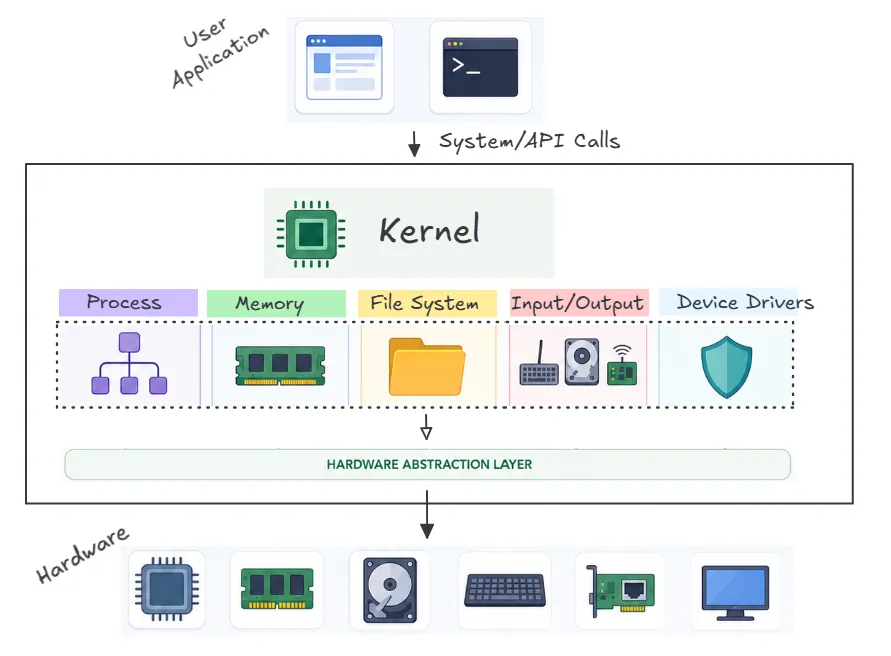
The OS is built from key components, each with a specific function:
- Kernel: The heart of the OS, controlling hardware, managing tasks, and handling system calls.
- Process Management: Schedules running programs, ensure fair CPU time allocation and preventing conflicts.
- Memory Management: Allocates and tracks RAM for processes, preventing programs from accessing each other’s memory.
- File Systems: Organizes data on storage devices (e.g., hard drives) using formats like ext4 (Linux) or NTFS (Windows).
- Input/Output (I/O): Manages communication with devices like keyboards, disks, or network cards, ensuring data flows correctly.
System Calls in Action
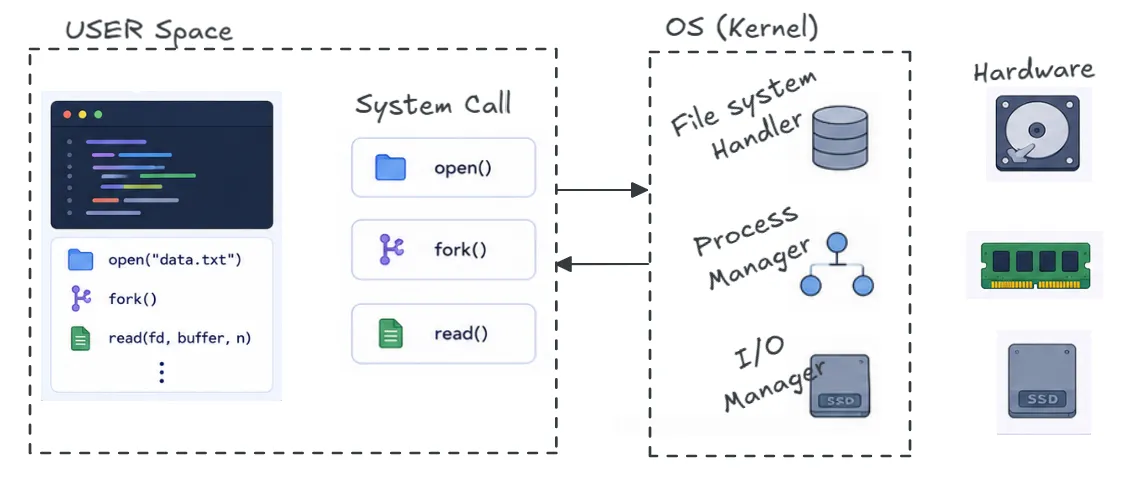
System calls allow user applications to interact with the OS. When a program needs to read a file, allocate memory, or create a process, it makes a system call to request OS services. For example:
open()→ Accesses filesfork()→ Creates a new processread()→ Retrieves data from storage
These calls act as bridges between user applications and the OS kernel.
User Mode and Kernel Mode

Modern OS architectures operate in two modes to ensure security and stability:
- User Mode – Applications run with restricted access, preventing direct control over hardware.
- Kernel Mode – The OS has full access to system resources, handling memory management, task scheduling, and I/O operations.
Conclusion
The OS provides a structured environment, ensuring efficient resource management, security, and smooth interaction between hardware and software.